DocsPlatform
FAQ and troubleshooting
Common questions about readiness blockers, statutory numbers, roles, and payroll lock rules.
Why does payroll say there are blockers?
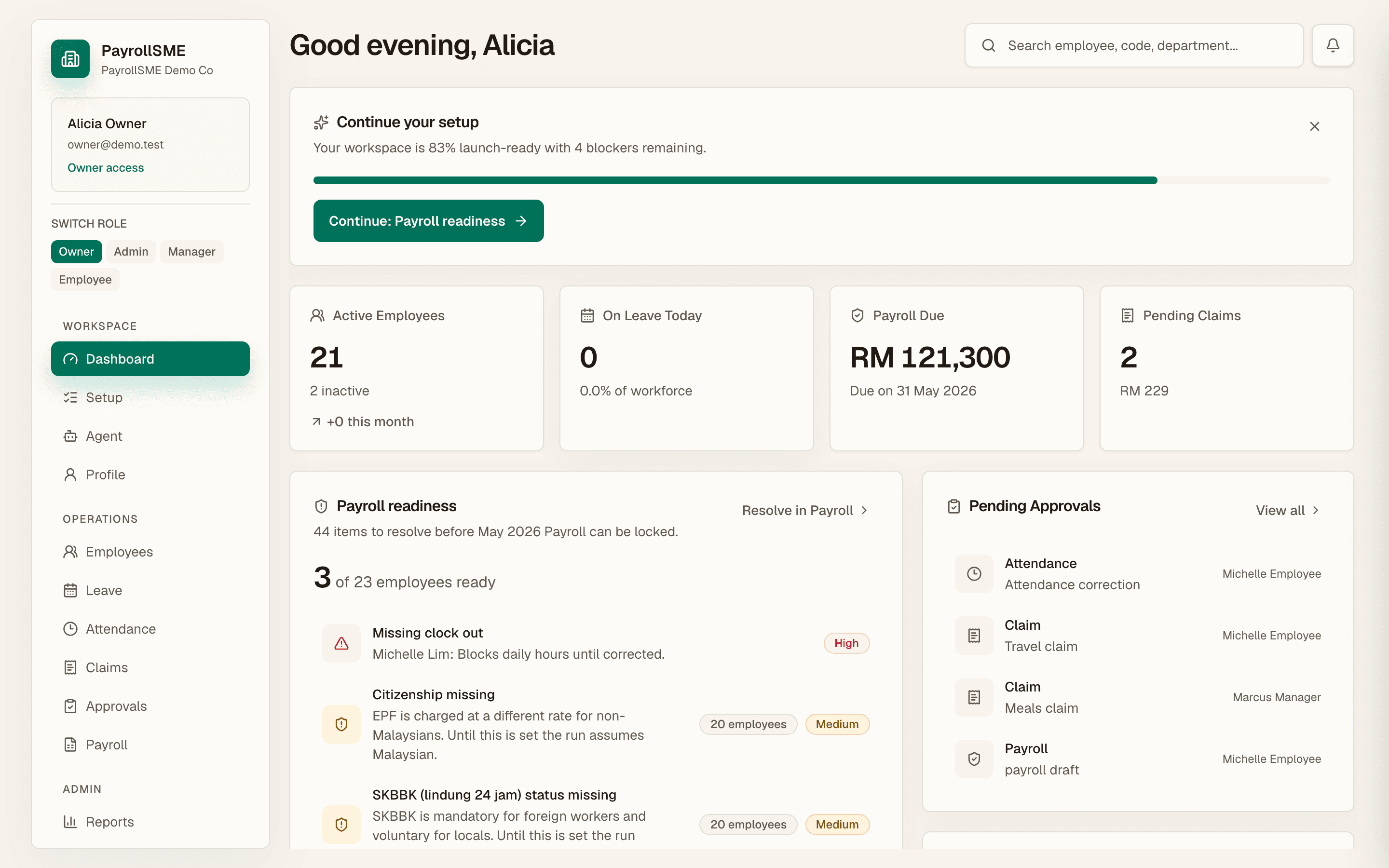
Readiness blockers are the reasons a draft cannot be locked yet. Critical blockers must be cleared; warnings and info items are shown so you can decide.
| Blocker | Severity | Where to fix it |
|---|---|---|
| No employees in payroll | Critical | /employees/new |
| Missing payroll fields (employee code, legal name, email, phone, employment status, start date, salary profile, salary amount, bank account, EPF, SOCSO, tax, emergency contact, date of birth, citizenship) | Critical | /employees |
| Unapproved unpaid leave | Warning | /approvals |
| Attendance exceptions | Critical or warning | /attendance |
| Approved claim not queued | Warning | /claims |
| Approved claim not included | Warning | /claims |
| No payroll cycle | Depends on workspace state | /setup/company |
Can I lock payroll with warnings?
Critical blockers must be cleared before lock. Warnings are shown so you can decide, but the lock gate stays closed while critical blockers remain.
Are statutory numbers required?
Missing EPF, SOCSO, or tax numbers flag payroll readiness as missing fields. Add them before the run so the draft is complete — they are critical to the lock gate.
Is statutory payroll calculation automated?
EPF, SOCSO, EIS, and PCB are worked out from current rate tables with a source and effective date. Payroll completion in the product means preparing a draft, clearing blockers, and locking it for export.
Who can see what?
PayrollSME has owner, admin, manager, employee, and accountant roles. Staff use their own portal (/me) and do not see other employees' salaries. An accountant sees payroll figures and reports — not IC numbers, addresses, or bank details. Only owners can change member access and approval policies.
Can the assistant run things by itself?
No. Every assistant action is set to Ask me to sign, so nothing runs without your approval. Automatic and held actions turn on only once each action can be undone.
How do notifications work?
The bell on the dashboard shows unread notifications, and /me/notifications lists leave decisions, claim outcomes, and other activity from HR.
Where is my data?
Every page resolves your company before it loads a single record, receipts are stored with a private ACL and signed short-lived read links, and approvals, uploads, locks, and admin activity leave a trail you can read and export on /audit.