DocsDay to day
Leave
Set up leave types and entitlements, submit requests, and understand how approved leave affects payroll.
Leave requests enter the approval workflow, and approved leave lands in the right payroll cycle so the run never needs a manual adjustment.
The leave page
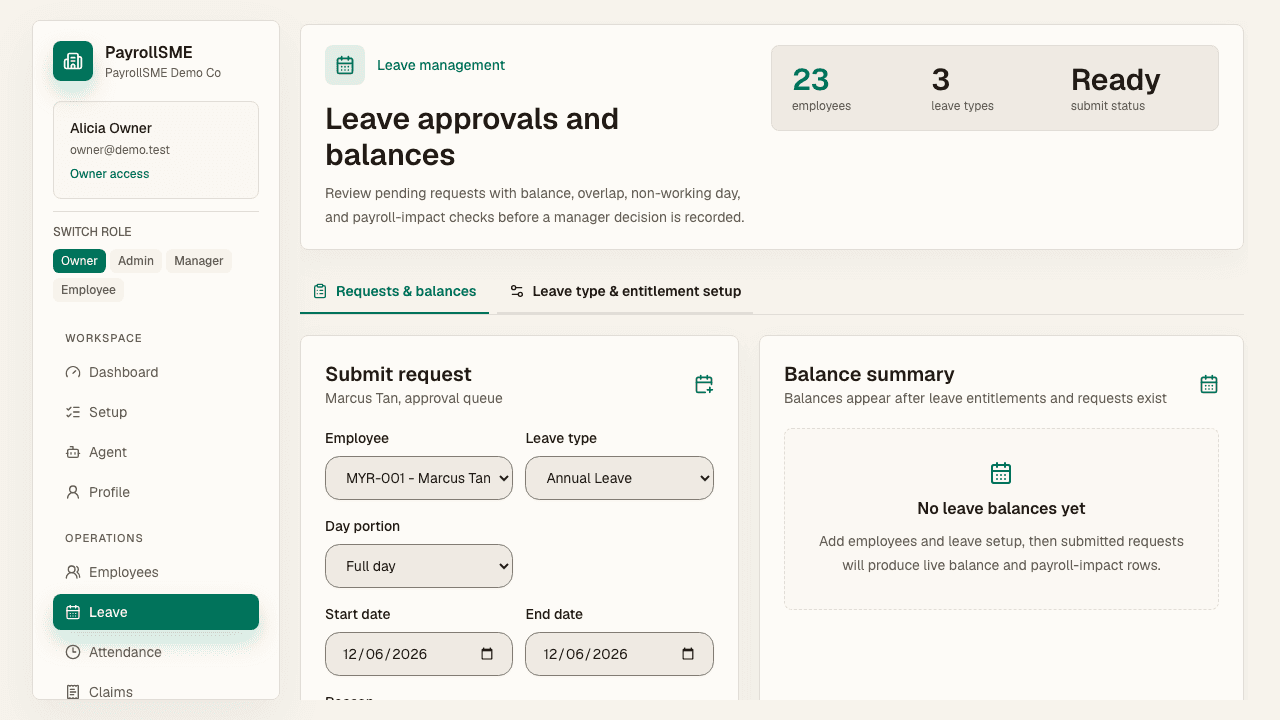
On /leave you get one screen with four views:
- Submit request — pick the staff member, leave type, start and end date, day portion, and reason, then submit.
- Balance summary — entitled, used, pending, and available days per type.
- Calendar — a month view of leave across the team, with previous/next month navigation.
- Pending manager decisions — approval-safe requests stay pending until decided, each with a Review in approvals link.
Leave type helper text explains what each type checks:
| Type | Behaviour |
|---|---|
| AL (annual) | Checks current-year entitlement, pending days, and active overlaps. |
| MC (medical) | Stays pending until a manager records a decision. |
| UL (unpaid) | Approval-tracked, and flagged for payroll impact after approval. |
Validation checks
Every request is validated before submission:
- Overlap — no two approved or pending requests for the same person overlap.
- Calendar — non-working days are handled rather than silently counted.
- Payroll impact — unpaid leave is flagged so payroll can show payable-day deductions.
Leave types and entitlements
- Leave types — managed on
/settings#organization(or the admin panel on/leave): create, edit, activate, deactivate, and set paid/unpaid or attachment flags. Seeded defaults are AL, MC, and UL. - Entitlements — per employee, leave type, and year: entitled days, carry-forward, and adjustments, with activation/deactivation per record.
How leave affects payroll
- Approved unpaid leave is summarized separately so payroll can show payable-day deductions without mutating the original approval history.
- Payroll-impacting leave does not change payroll until approved.
- Leave that is still pending does not change the draft.
Staff side
Staff submit and track their own requests on /me/leave, including the approval status of their own leave history.
Acceptance check
- A submitted request appears in the approval workflow.
- The calendar and balance summary reflect entitlements and requests.
- Payroll inputs reflect only approved leave.