DocsPayroll
Reports and audit
Export payroll, leave, and claims reports, and read the audit trail of every approval and change.
Reports give your accountant what they need to file, and the audit trail keeps a readable record of who did what.
Reports
Open Reports from the sidebar to see operational exports generated from the current operating dataset, for the selected payroll period:
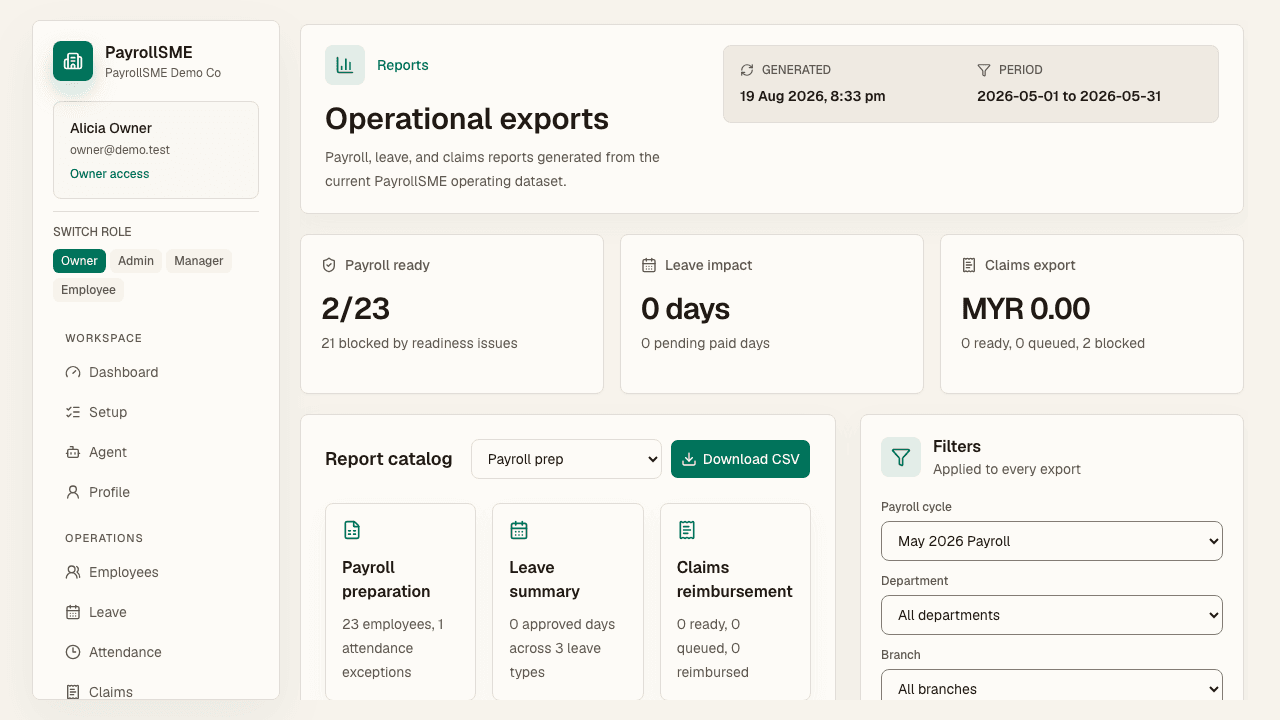
- Payroll prep — payroll-ready vs blocked employees, with readiness reasons.
- Leave summary — approved, pending, and unpaid approved days per employee.
- Claims reimbursement — totals by currency with ready, queued, and blocked counts.
- Attendance summary — attendance figures for the period.
- Employee directory — the directory export.
Each report can be downloaded as an XLSX file from the report catalog. Reports are scoped to your company, so an accountant sees payroll figures without opening employee IC numbers, addresses, or bank details.
Audit trail
Open Audit from the sidebar to read the admin activity log:
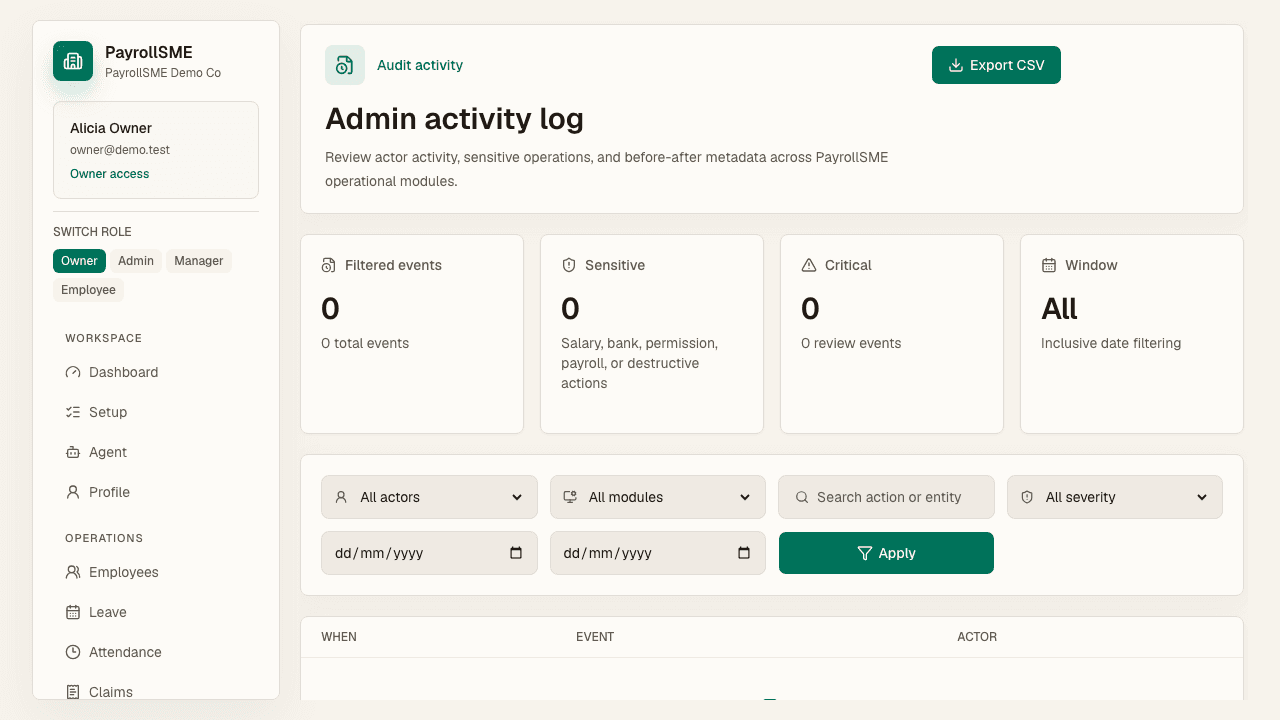
- Every approval, lock, and edit with the time, the actor, and the before/after metadata.
- Filters by actor (user, assistant, MCP, system), module, action, severity (critical, review, info), and an inclusive date window.
- Sensitive events cover salary, bank, permission, payroll, or destructive actions.
- Export the filtered timeline as CSV.
Audit entries read like sentences rather than a database dump, so they hold up when an auditor asks.
Acceptance check
- Reports export the figures your accountant needs for the selected period.
- Audit filters narrow the timeline to a workflow or actor.
- Sensitive events are flagged and exportable.