DocsPayroll
Payroll
Generate the payroll draft, review readiness blockers, lock the run, and download payslips.
PayrollSME assembles the payroll run as the month goes: employees, salary profiles, unpaid leave, attendance, and claims. You review the draft, clear critical blockers, and lock it for export.
The payroll page
On /payroll:
- Choose the payroll cycle and select Load if you changed it.
- Review the readiness score — it starts at 100 and drops for critical blockers, warnings, and info items.
- Review the lock state: Ready to lock, Lock blocked, or Locked.
- Review input sources: employees (how many are payroll ready), salary profiles (base pay), unpaid leave (deductions), attendance (exceptions in the period), and claims (included vs approved, with the included total).
- Select Generate draft (or Refresh draft when one exists).
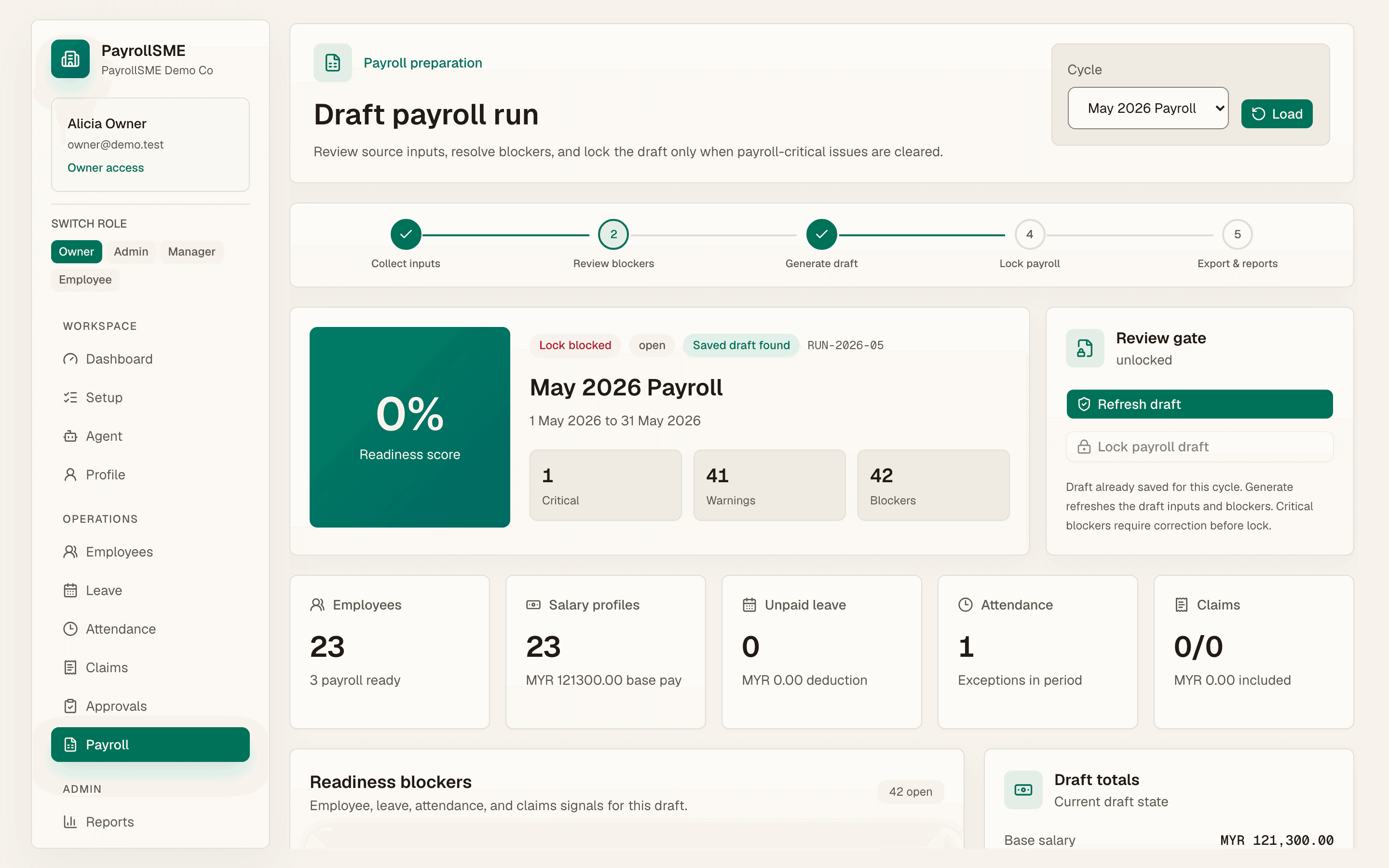
Readiness blockers
Blockers are graded critical, warning, or info. Critical blockers must be cleared before lock; warnings and info items are shown so you can decide.
| Blocker | Severity | Where to fix it |
|---|---|---|
| No employees in payroll | Critical | /employees/new |
| Missing payroll fields — employee code, legal name, email, phone, employment status, start date, salary profile, salary amount, bank account, EPF number, SOCSO number, tax number, emergency contact, date of birth, citizenship, SKBBK status | Critical | /employees |
| Unapproved unpaid leave | Warning | /approvals |
| Attendance exceptions | Critical or warning by severity | /attendance |
| Approved claim not queued | Warning | /claims |
| Approved claim not included | Warning | /claims |
Lock the draft
When the draft is saved and the lock gate is clear, select Lock payroll draft. The button is enabled only after a draft exists, the lock is not blocked, and the run is not already locked.
Payslips
Once the run is locked, Download payslips exports payslips for the run. Staff can view their own payroll history, earnings, and deductions per pay period on /me/payroll.
Statutory rates
EPF, SOCSO, EIS, SKBBK (Lindung 24 Jam), and PCB come from rate tables that carry a source and an effective date. When a rate changes, your runs change with it. The sources are the published schedules of LHDN, KWSP/EPF, PERKESO, and HRD Corp. SKBBK is employee-borne only (no employer share).
Acceptance check
- The draft is saved for the selected cycle.
- Critical blockers are listed with a clear place to fix them.
- Lock payroll draft is enabled only when a draft exists and critical blockers are clear.
- The final state shows the payroll draft as locked, and payslips can be downloaded.